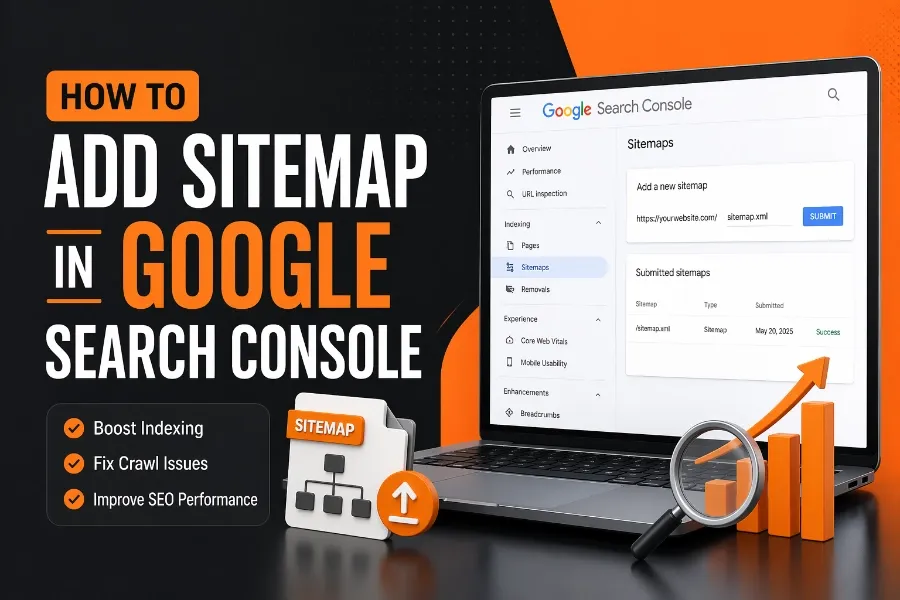
If you want your website to appear in Google search results faster, you need to understand how to add sitemap in Google Search Console. A sitemap acts as a roadmap, helping search engines discover, crawl, and index your pages efficiently. Without it, even great content can remain invisible for weeks or months.
In this guide, you will learn the exact steps to submit your sitemap, avoid common mistakes, and ensure Google properly recognizes your site. Keep reading because mastering this process can significantly improve your SEO performance and indexing speed.
What A Sitemap Is And Why It Matters
A sitemap is a structured file that lists all important pages on your website, helping search engines understand your content hierarchy and priorities. It ensures that even deep, hard-to-discover pages are still crawled and indexed. This becomes especially important for large websites or newly launched domains.
Search engines like Google rely on sitemaps to efficiently allocate crawl budget, which determines how often your pages are visited and indexed. When you submit a sitemap, you essentially guide Google toward your most valuable content. This improves visibility and reduces the chances of missing pages.
To measure the effectiveness of your indexing efforts, you can use tools to instantly verify whether your web pages are indexed by Google. This step helps confirm if your sitemap submission is working as expected. This step ensures your pages are not just submitted but actually recognized and indexed by Google.
Types Of Sitemaps You Should Know
There are different types of sitemaps, and understanding them helps you choose the right one for your website. The most common type is the XML sitemap, which is specifically designed for search engines and contains structured data about URLs. HTML sitemaps, on the other hand, are created for users to navigate your website.
Advanced websites may also use specialized sitemaps such as video sitemaps, image sitemaps, and news sitemaps. These help Google better understand specific content formats and improve their chances of appearing in rich search results. For example, an image sitemap can increase your visibility in Google Images.
Most SEO plugins generate a sitemap index, which groups multiple sitemaps into one master file. Instead of submitting individual sitemaps, you only need to submit the index file, making management easier and more efficient.
How To Create A Sitemap For Your Website
Creating a sitemap is straightforward, especially if you are using a content management system like WordPress. Most SEO plugins automatically generate a sitemap and update it whenever new content is published. This ensures your sitemap always reflects your latest pages.
If you are not using a plugin, you can generate a sitemap using online tools or manually create one using XML format. However, automated tools are recommended because they reduce errors and save time. A properly formatted sitemap ensures smooth submission and faster indexing.
Understanding how automation improves content workflows is essential, especially when learning about how AI helps with online content creation because similar automation principles apply to sitemap generation. These tools streamline processes and keep your site up to date without manual intervention.
Steps To Add Sitemap In Google Search Console
Adding a sitemap in Google Search Console is a simple process if you follow the correct steps. First, log in to your Google Search Console account and select your website property. Then navigate to the “Sitemaps” section under the “Indexing” tab.
Enter the URL of your sitemap, usually something like sitemap.xml or sitemap_index.xml, and click submit. Google will immediately process the request and display the status of your submission. If there are errors, they will appear in the report for you to fix.
Once submitted, Google begins crawling the URLs listed in your sitemap. However, indexing is not instant and may take a few days depending on your site authority and crawl frequency.
How To Verify Your Website Before Submission
Before you can submit a sitemap, you must verify ownership of your website in Google Search Console. This ensures that only authorized users can manage site data and submit sitemaps. Verification can be done using methods such as HTML tags, DNS records, or Google Analytics.
The most common method is adding an HTML meta tag to your website header, which Google uses to confirm ownership. Once verified, you gain full access to tools that help monitor your site’s performance and indexing status. This step is mandatory before any sitemap submission.
Verification also ensures your data is accurate and secure, allowing you to track indexing, errors, and search performance effectively.
Common Sitemap Errors And How To Fix Them
After submitting your sitemap, you may encounter errors that prevent proper indexing. Common issues include incorrect URLs, blocked pages, and server errors. These problems can reduce your site’s visibility if not addressed quickly.
One frequent mistake is submitting a sitemap that includes URLs blocked by robots.txt or marked as noindex. This creates confusion for search engines and wastes crawl budget. Always ensure your sitemap contains only indexable and valuable pages.
Another issue is outdated sitemaps that no longer reflect your site structure. Regular updates are essential to maintain accuracy and ensure Google can access your latest content.
Best Practices For Sitemap Optimization
Optimizing your sitemap improves its effectiveness and ensures faster indexing. Start by including only high-quality pages that provide value to users. Avoid adding duplicate or low-quality pages that may harm your SEO performance.
Keep your sitemap clean and organized by grouping similar content types. This makes it easier for search engines to understand your site structure. A well-structured sitemap can improve crawl efficiency and ranking potential.
Learning structured optimization strategies is similar to understanding 12 best AI content generators to choose from because both involve selecting the right tools and organizing content efficiently. Proper structure always leads to better performance outcomes.
How Long It Takes For Google To Index Your Sitemap
After submitting your sitemap, Google may take anywhere from a few hours to several days to process it. The timeline depends on factors such as site authority, crawl budget, and content quality. New websites typically take longer compared to established domains.
Submitting a sitemap does not guarantee immediate indexing, but it significantly speeds up the process. It helps Google discover your pages faster and prioritize them for crawling. Consistent updates also improve indexing frequency.
Monitoring your sitemap status in Search Console helps you track progress and identify any delays or issues.
How To Monitor Sitemap Performance In Search Console
Google Search Console provides detailed insights into how your sitemap is performing. You can see how many URLs were submitted, how many were indexed, and if there are any errors. This data helps you refine your SEO strategy.
The coverage report highlights issues such as excluded pages, crawl errors, and indexing problems. Addressing these issues improves your site’s overall visibility and search performance. Regular monitoring ensures your sitemap remains effective.
Using these insights allows you to make data-driven decisions and improve your website’s SEO performance over time.
Difference Between Sitemap And Robots.txt
A sitemap and robots.txt file serve different purposes but work together for SEO. A sitemap tells search engines which pages to crawl and index, while robots.txt controls which pages should not be accessed. Understanding this difference is crucial for effective optimization.
If used incorrectly, robots.txt can block important pages listed in your sitemap, causing indexing issues. Always ensure both files are aligned to avoid conflicts. This coordination improves crawl efficiency and indexing accuracy.
Proper use of both tools ensures your site is optimized for search engine visibility and performance.
Advanced Tips To Improve Sitemap Effectiveness
To maximize the impact of your sitemap, consider advanced optimization techniques. Use priority tags to indicate the importance of pages and update frequency tags to guide crawl behavior. These signals help search engines prioritize content.
Segment large sitemaps into smaller ones to improve crawl efficiency and reduce errors. This is especially useful for large websites with thousands of pages. Organized sitemaps improve processing speed and accuracy.
Regular audits ensure your sitemap remains clean, updated, and aligned with your SEO goals.
Conclusion
Understanding how to add sitemap in Google Search Console is a critical step in improving your website’s visibility and indexing speed. By creating a well-structured sitemap, verifying your site, and submitting it correctly, you give Google a clear path to discover your content.
You should also monitor performance, fix errors, and update your sitemap regularly to maintain its effectiveness. These ongoing efforts ensure your website remains optimized and competitive in search results.
When done correctly, sitemap submission becomes a powerful tool that supports your entire SEO strategy and helps your content reach the right audience faster.